

Text-to-speech studio for Mac
Studio-quality voices, made on your Mac
Type a script, pick a voice and hear it spoken in seconds. Clone your own voice, design a new one from a description, teach a voice to sound like you, and keep every take organised. Free for Apple silicon Macs, coming soon.
39
open voice model families Avocado works with
0.2 s
to first sound with Kokoro
0.9 s
or less for a 42-second paragraph with Kokoro
0
accounts to create
Speeds measured with Kokoro on an M3 Max MacBook Pro, with the model already loaded.
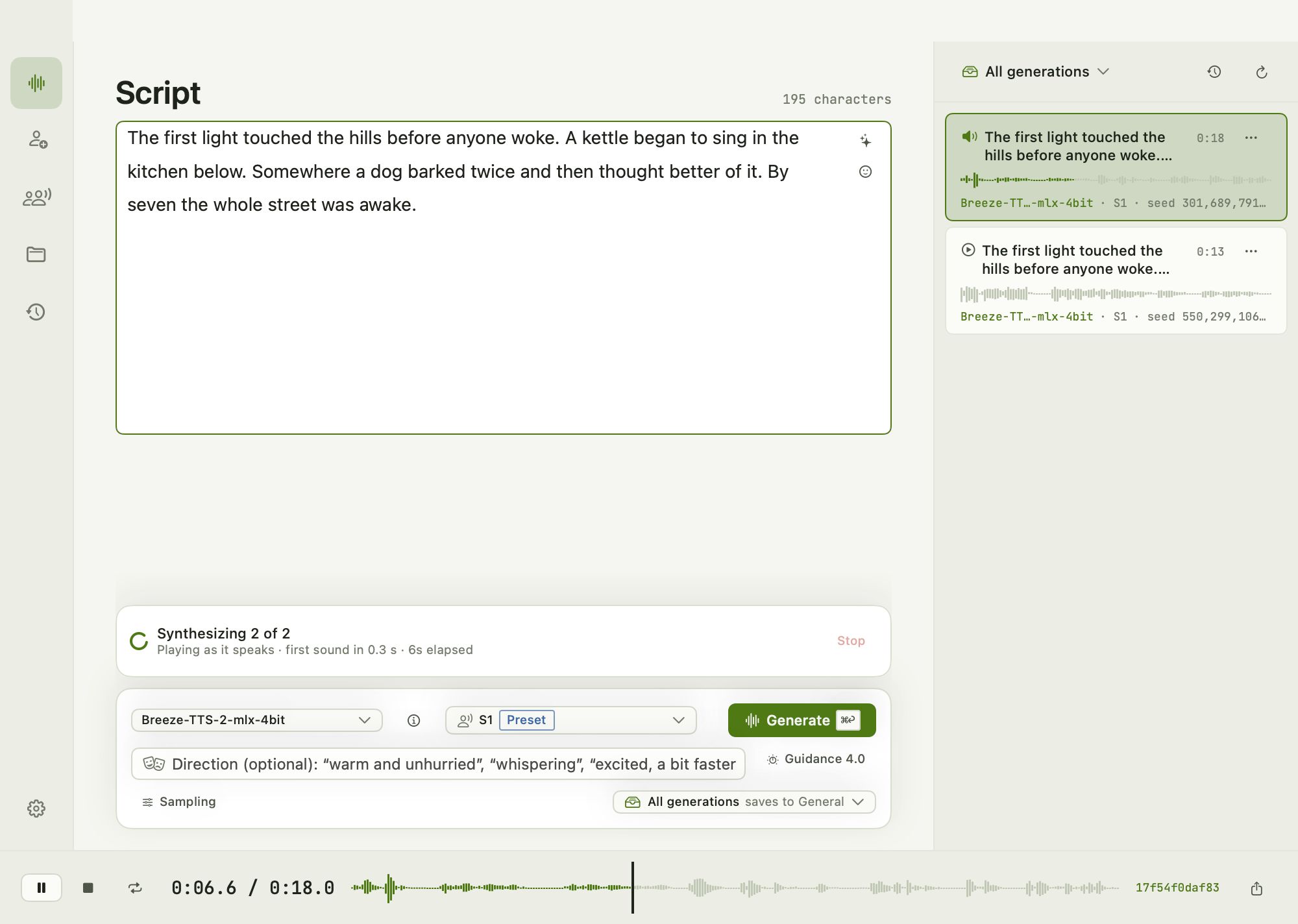
Generate
Type it, hear it, keep the take you like
Choose a model and a voice, type or paste your script and press Generate. Playback starts while the rest is still being made, so you hear the first words almost straight away.
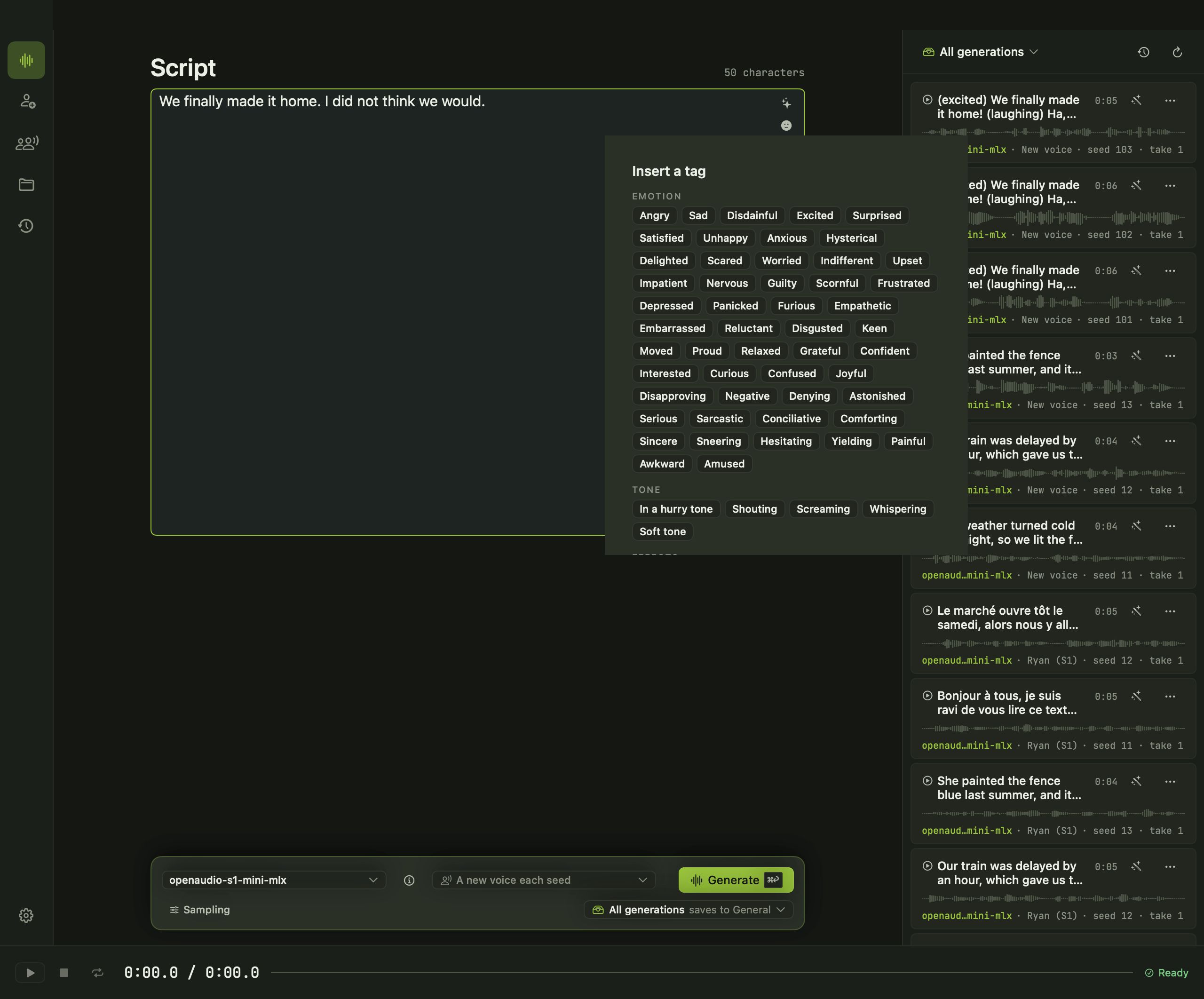
- Direct the delivery. With models that support it, ask for "warm and unhurried" or "whispering", or drop emotion and sound tags such as laughs and sighs right into the script.
- Pace and language. Slow a voice down, speed it up or pick the language, where the model offers it.
- Takes, not overwrites. Every generation is kept as a take you can replay, compare and regenerate.
Create Voice
Clone, design or mix a voice of your own
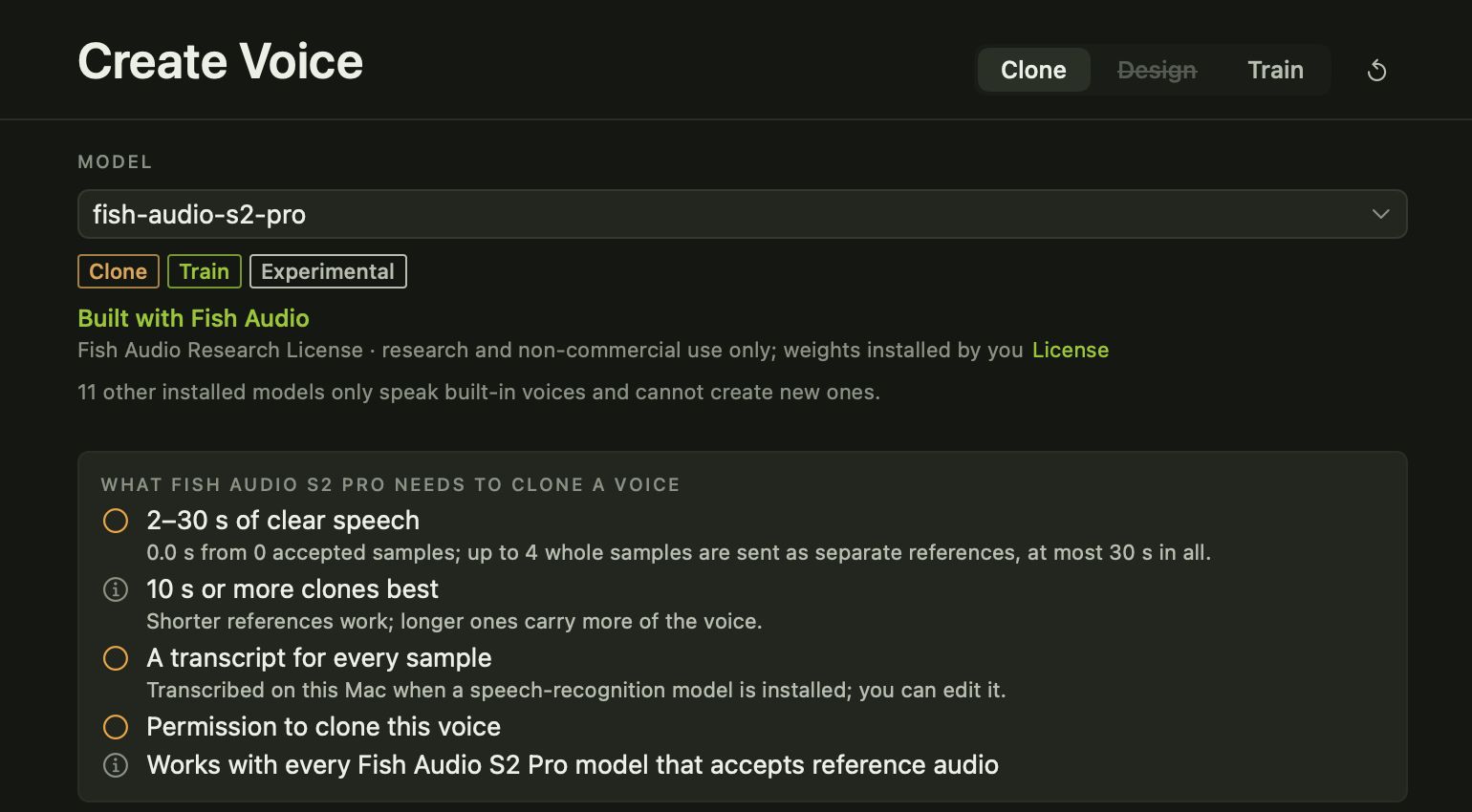
Clone a voice from a recording you make in Avocado or clips you import. Only clone voices you have permission to use: Avocado asks you to confirm before it makes a clone.
Design a voice from a description, like "a calm narrator in her forties with a light Irish accent". Mix Kokoro's built-in voices by weight to find one that is in between.
Design
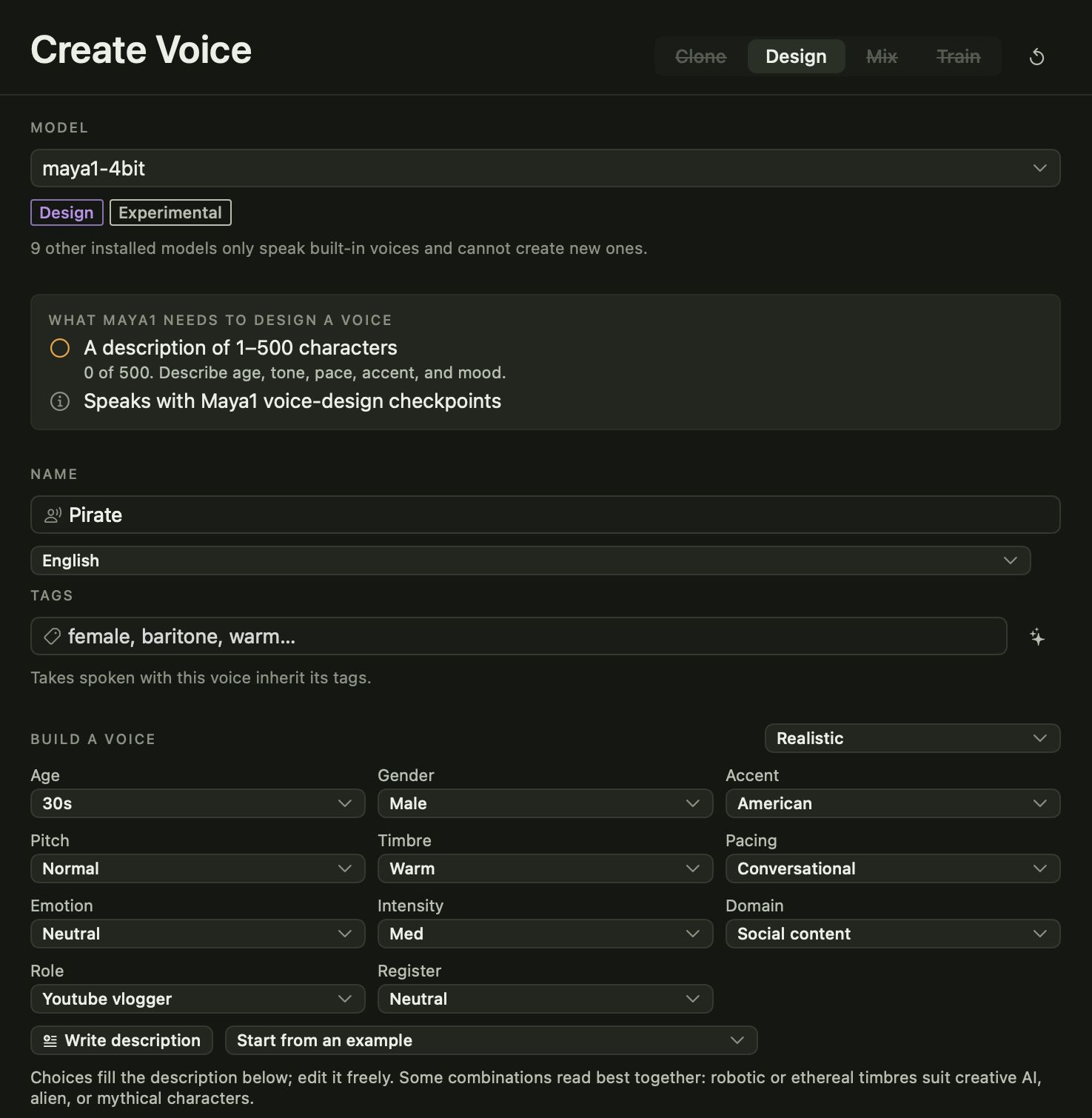
Describe a voice and hear it
Pick an age, accent, pitch, pacing and mood, or write the description yourself, then audition it before you save. Voice design works with Maya1, Qwen3-TTS Voice Design, VoxCPM 2 and Breeze TTS 2.
Mix
Blend preset voices into a new one
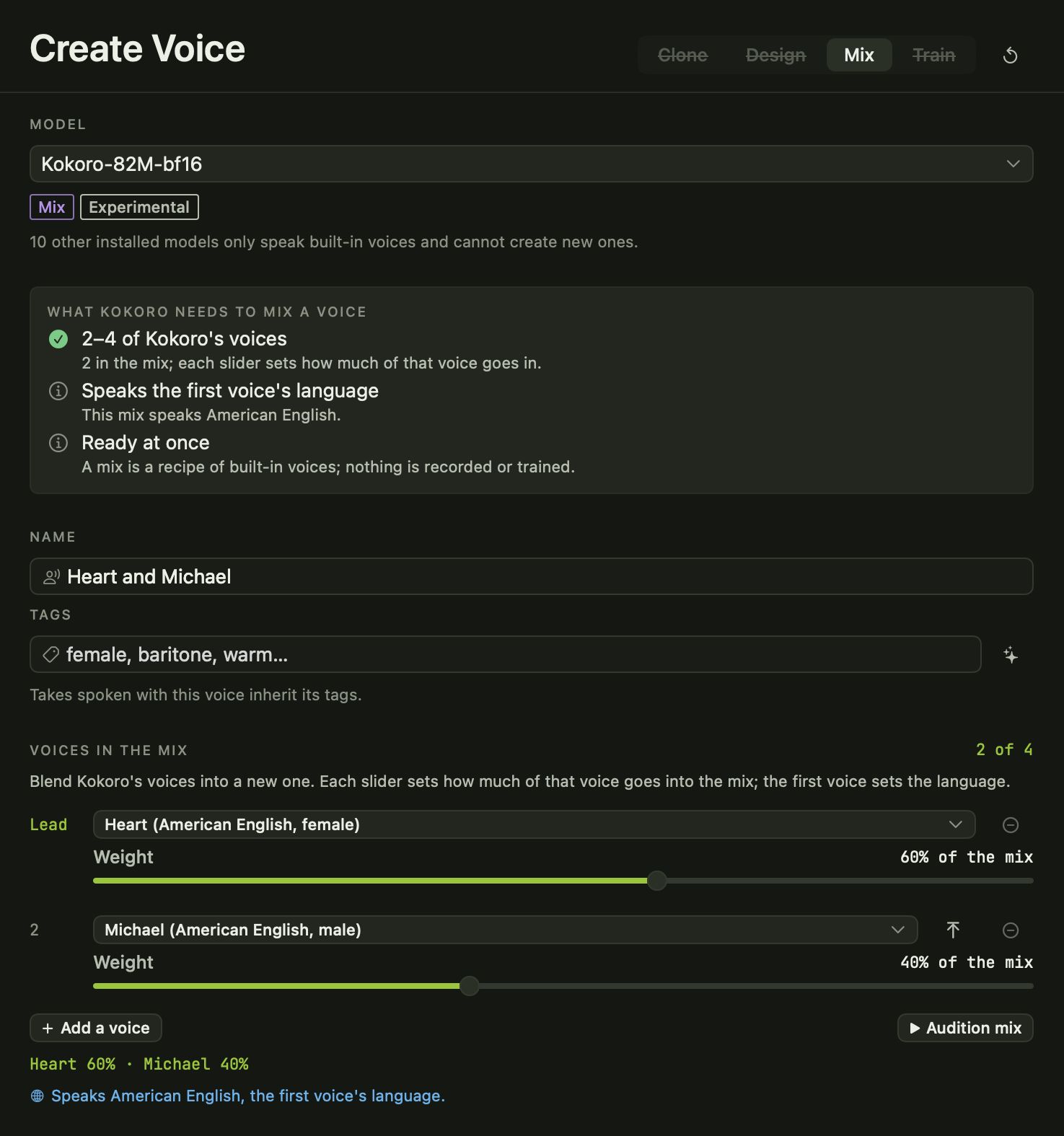
Choose two to four of Kokoro's voices and set how much of each goes in. Audition the mix, save it, and it appears with your other voices, ready to use.
Train
Teach it your own voice
Record or import between one and thirty minutes of your own speech and Avocado trains a voice from it, right on your Mac. Training works with a dozen model families, including Breeze TTS 2, Fish Audio S2 Pro, OpenAudio S1 Mini, Orpheus, Qwen3-TTS and VoxCPM.
Trained voices appear in your Voice Library with a Trained badge. As with cloning, only train on recordings you have permission to use.
Dialogue
Conversations with a voice for every speaker
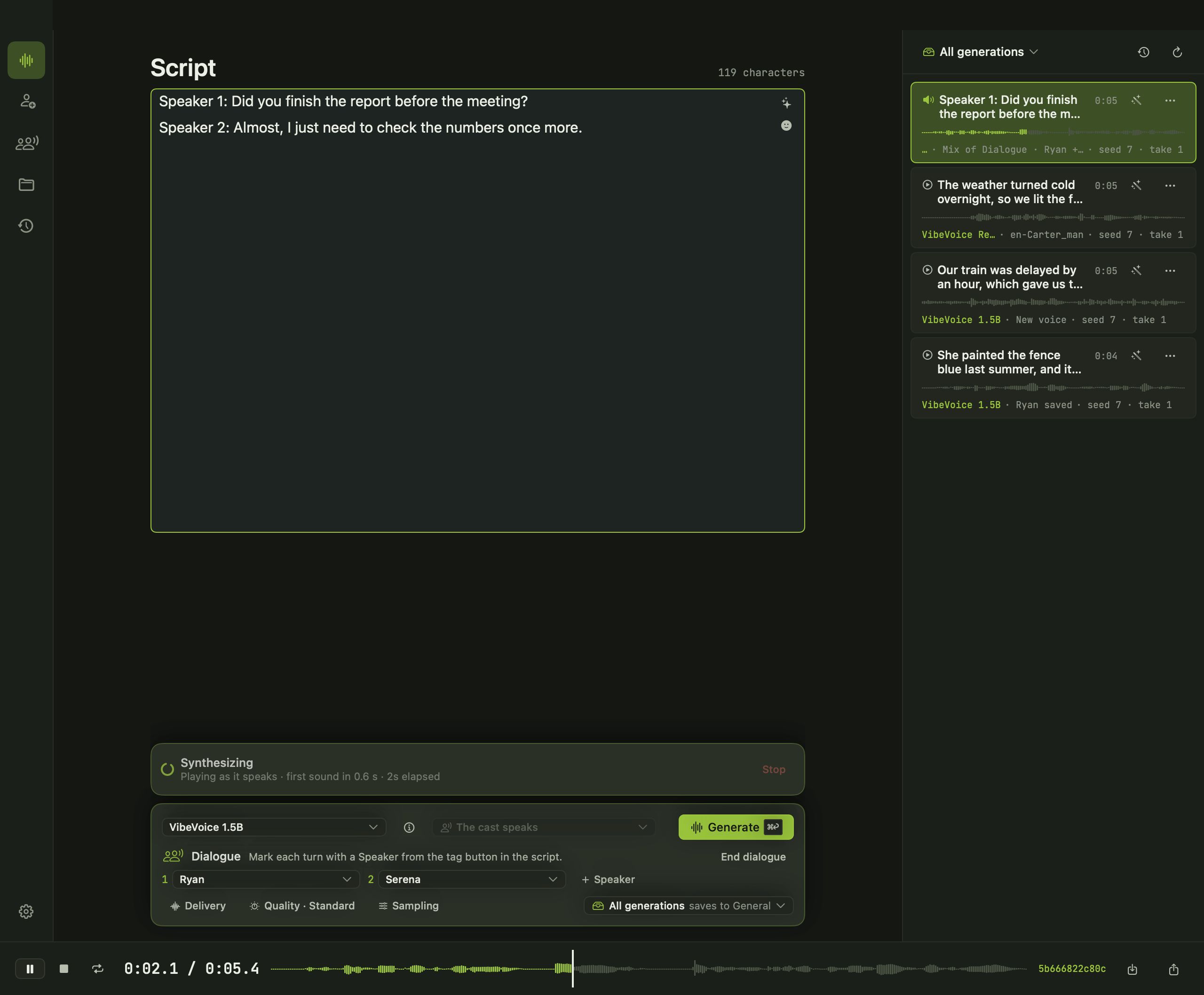
Write a script with turns for each speaker, cast a voice for each one and generate the whole conversation as one take. VibeVoice 1.5B handles up to four speakers; Dia, Sesame CSM and Fish Audio S2 Pro make dialogue too.
Edit takes
Change the emotion after the fact
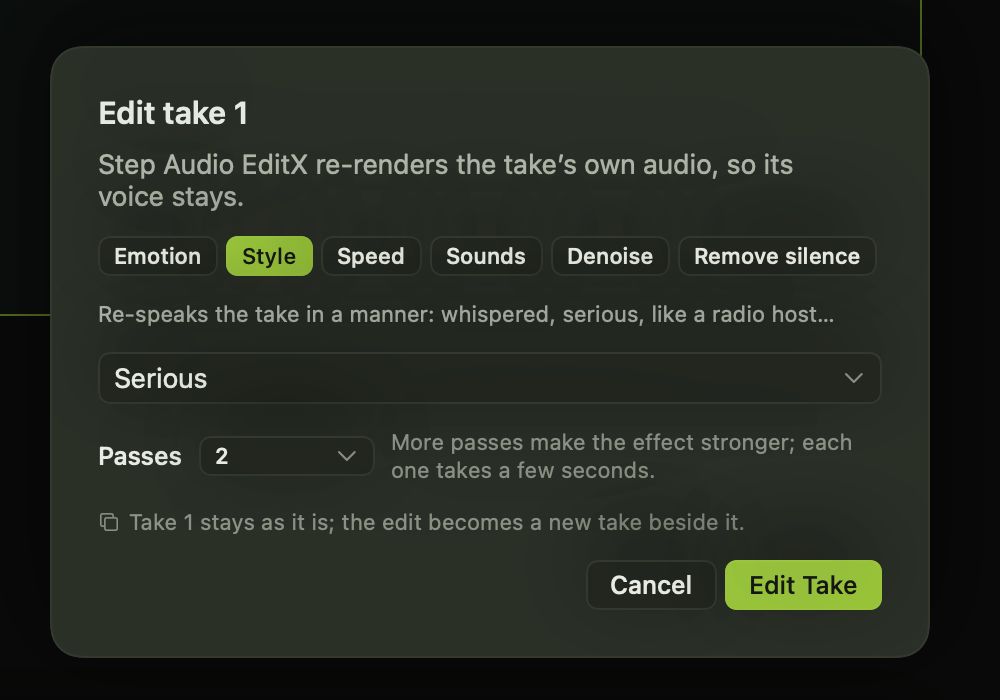
With Step Audio EditX on your Mac, open any take up to 30 seconds long and change its emotion, style or pace, add sounds like laughter or breathing, remove background noise or trim silence. Each edit is saved as a new take, so the original is always there.
Sound effects
Sound effects and ambience from a description
Describe a sound, like rain on a tin roof or a busy café, choose a length up to 60 seconds and generate it with MOSS Sound Effect. It lands in your project beside your voice takes.
Projects and export
Every take filed, tagged and ready to export
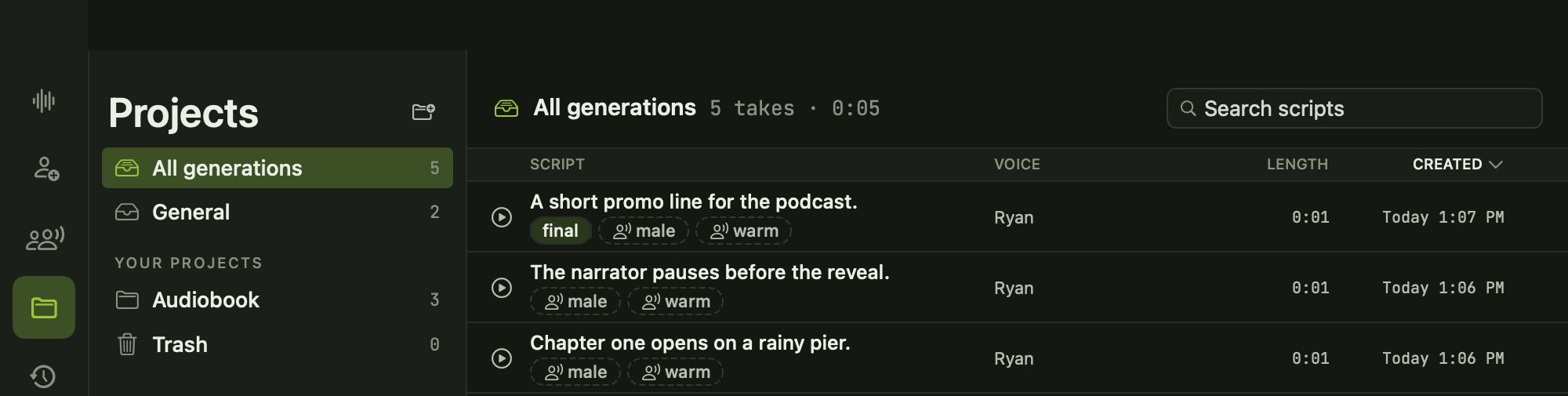
- Projects keep takes together. New takes go to General until you choose a project, and deleted takes wait in Trash.
- Tags on voices and takes make them easy to find, and takes inherit their voice's tags.
- History and a command palette (⌘K) take you back to anything you made.
- Export as WAV, AIFF or M4A, or drag a take out as a WAV.
Models
Works with the models you choose
Avocado works with 39 families of open voice models. Each one has its own strengths: some have dozens of ready voices, some clone, some take direction, some can be trained.
hexgrad
Kokoro
A small, very fast model with 54 natural preset voices in nine languages. In Avocado you can blend its voices into new ones and set the pace of every take.
BreezeBlue
Breeze TTS 2
An expressive English and Chinese model that does a bit of everything. Pick a speaker, tell it how to say the line, clone a voice, or teach it your own.
Fish Audio
Fish Audio S2 Pro
Studio-quality cloning in ten languages, with free-form tags like [whisper] or [laugh] right in the script, dialogue for up to four voices, and voice training.
Boson AI
Higgs Audio v3
An expressive model with 43 tags for emotion, style, pace, pauses and sounds. Clone a voice, or let it invent a new one for each seed.
Alibaba Qwen
Qwen3-TTS
Alibaba's Qwen3-TTS family covers preset speakers, cloning, voice design and training in ten languages. Avocado shows each edition for what it does.
Resemble AI
Chatterbox
Resemble AI's Chatterbox clones from a few seconds of audio, with controls for how expressive and how deliberate a take sounds. Multilingual and Turbo editions work too.
Canopy Labs
Orpheus
Natural, conversational English in eight voices, with tags for laughs, sighs and groans. You can also teach Orpheus a new voice from your recordings.
Microsoft
VibeVoice 1.5B
Built for long conversations. Write a script for up to four speakers, cast a cloned voice for each, and VibeVoice speaks the whole thing in one pass.
Also: Maya1, OuteTTS, Kitten TTS, Magpie TTS, VibeVoice Realtime, OpenAudio S1 Mini, Pocket TTS, IndexTTS, IndexTTS-2, MOSS TTS Nano, MOSS TTS Local, MOSS Sound Effect, VoxCPM 2, VoxCPM 1.5, Zonos v0.1, Zonos 2, Sesame CSM, Soprano, Dia, Echo TTS, Irodori TTS, Voxtral TTS, Chatterbox Multilingual, Chatterbox Turbo, Dramabox, LFM2.5 Audio, Step Audio EditX, StyleTTS 2 (LibriTTS), StyleTTS 2 (LJSpeech), XTTS v2, OpenVoice v2.
Privacy
Your voice stays on your Mac
- Voices are generated on your Mac. Scripts, recordings, voices and takes stay in Avocado.
- No account and nothing to sign in to.
- Usage and diagnostics sharing is off until you choose, and never includes your scripts or audio.
- Avocado goes online only to check for updates and to send feedback you write.
Before you start
Bring your own voice models
Avocado works with popular open voice models that you add to your Mac. It doesn't include any models and doesn't download them for you, so there is a little setup: get the models you want from their makers, put them where Avocado looks, and they appear in the model picker.
Each model keeps its maker's licence. Some are free for any use, others are for research or non-commercial use only, so check the maker's page before you publish. Avocado checks each model on your Mac and shows you which are ready.
Compare
How Avocado compares
Honest notes on where Avocado fits next to the voice tools you might already know.
Avocado vs ElevenLabs
ElevenLabs is the polished cloud leader, ready the moment you sign up. Avocado makes voices on your Mac with open models you add yourself, with no account. Here's how they differ.
See the comparisonAvocado vs Murf AI
Murf is a cloud voiceover studio with hundreds of ready voices and links to slides and design tools. Avocado is a Mac studio where voices are made on your Mac. Here's the difference.
See the comparisonAvocado vs Descript
Descript is a video and podcast editor with AI voices built in. Avocado is a voice studio that makes speech on your Mac. If you edit video, Descript does far more.
See the comparisonAvocado vs Speechify
Speechify reads your documents, emails and web pages aloud, on almost every device. Avocado is for making voice audio you keep and export. They solve different problems.
See the comparisonAvocado vs Voicebox
Voicebox is the closest thing to Avocado, a free local voice studio. It runs on more platforms; Avocado works with more model families and can train a voice on your recordings.
See the comparisonAvocado vs Piper
Piper is a fast, lightweight text-to-speech engine you run from the command line or build into other software. Avocado is a Mac app with a studio around many voice models.
See the comparisonQuestions
Is Avocado free?
Yes. Avocado will be free for Apple silicon Macs, with no account and no subscription. It is coming soon.
Which Macs will it run on?
Macs with Apple silicon (M1 or later) running macOS 15 or later. Bigger voice models need more memory, so a Mac with 16 GB or more gives you the most choice.
Does Avocado come with voices?
Avocado works with popular open voice models that you add to your Mac yourself. It does not include any models and does not download them for you. Once a model is on your Mac, Avocado finds it, shows what it can do and uses its voices.
Can I clone my own voice?
Yes, with models that support it. Record or import a few seconds of clear speech, add what was said, and save it as a voice. Only clone voices you have permission to use: Avocado asks you to confirm that before it makes a clone.
Can I use what I make commercially?
That depends on the model. Each voice model has its own licence from the people who made it, and some are for research or non-commercial use only. Check the model maker’s page before you publish anything.
Are my scripts and recordings uploaded?
No. Voices are generated on your Mac, and your scripts, recordings and takes stay in Avocado. Avocado goes online only to check for updates and to send feedback you write yourself.
What can I export?
Any take, as WAV, AIFF or M4A. You can also drag a take straight out of Avocado into another app as a WAV file.
Avocado is almost here
Free for Apple silicon Macs running macOS 15 or later. Coming soon.